Introduction
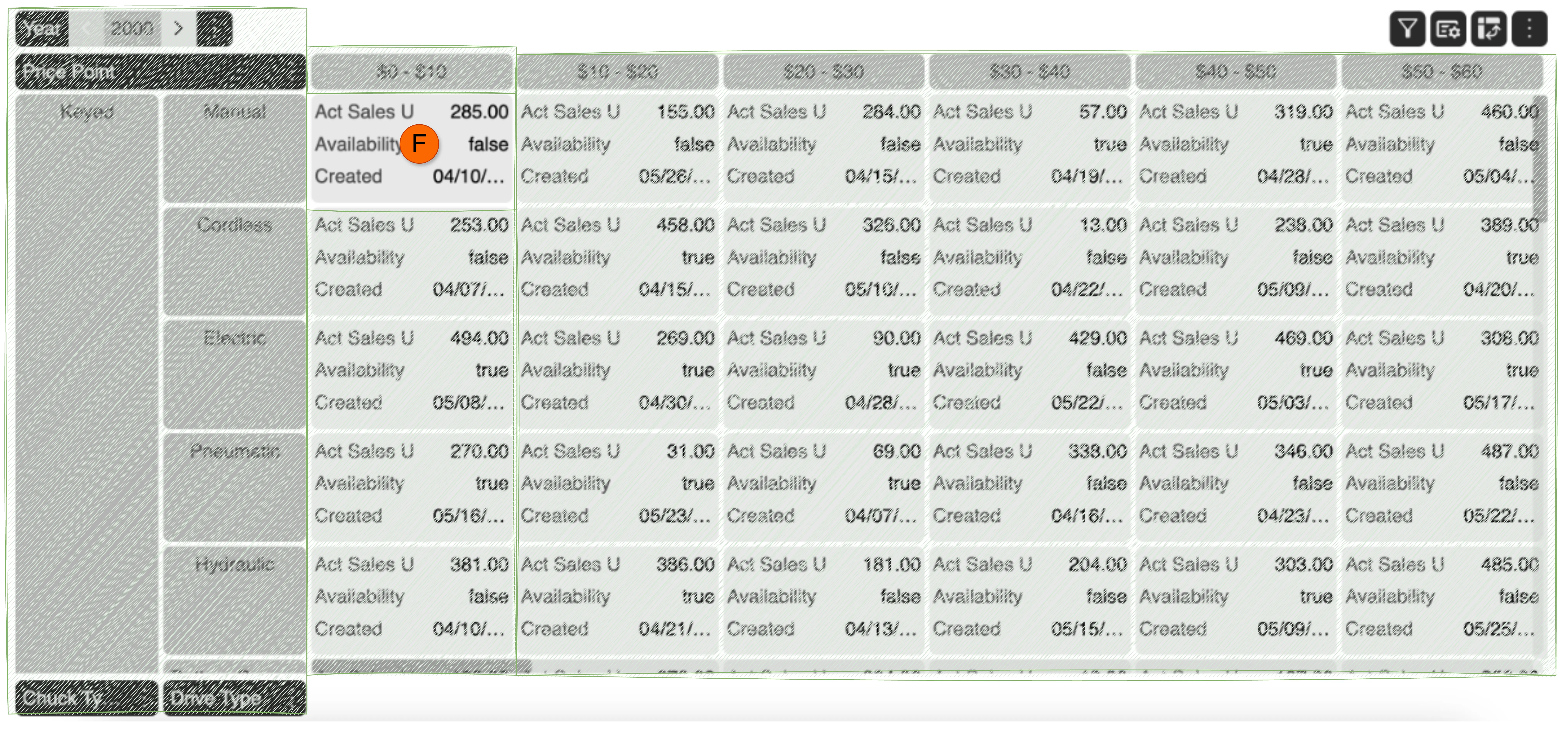
The MDC Grid, Multi-dimensional Cross Attribute Grid, is a high performance, feature rich, javaScript grid that organizes layout by dimensions and has the ability to present related information in a single cell.
Problem with existing grids
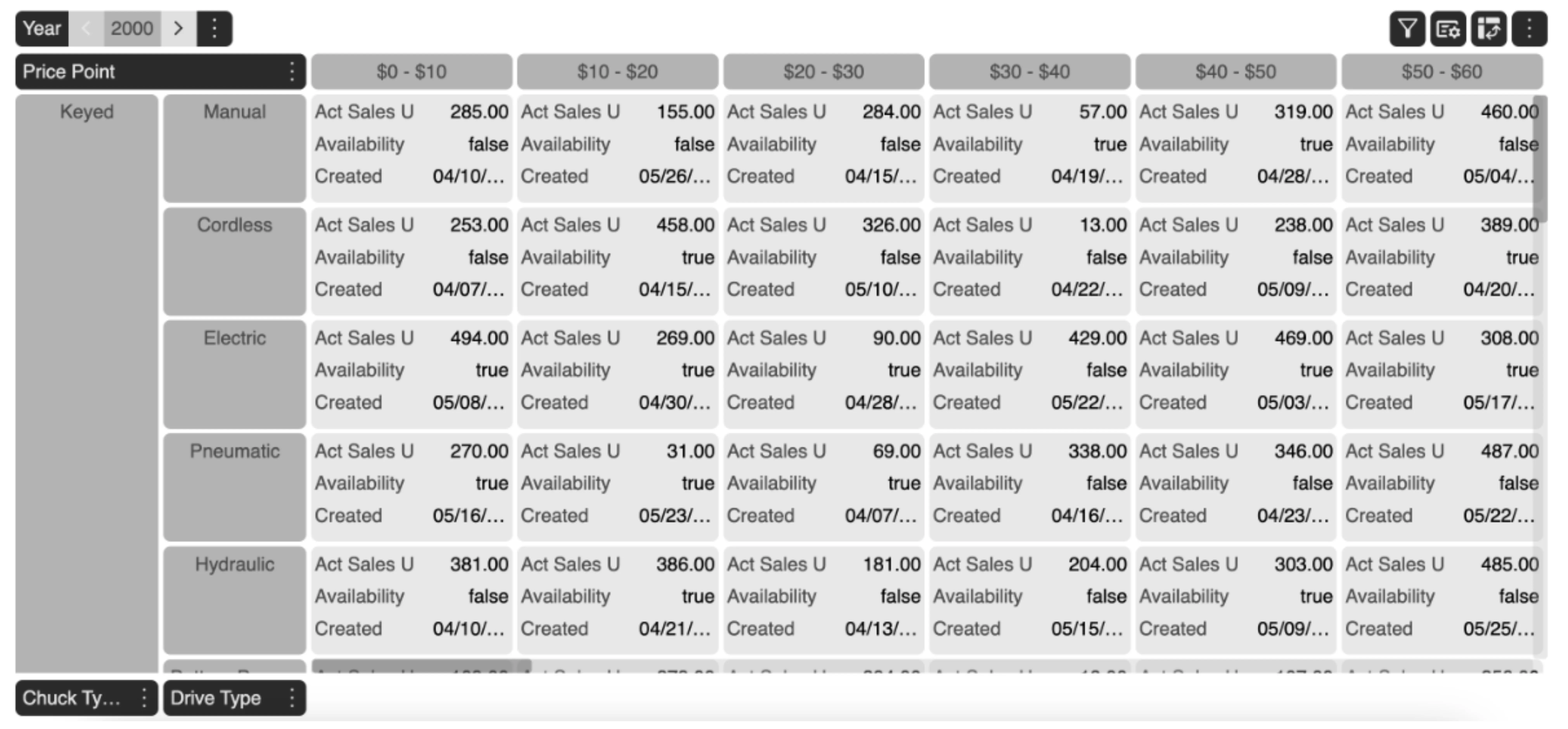
Most grids, multidimensional or not, are only able to display one value in a cell. This is restrictive when presenting related information at the intersection of multiple dimensions. The only option is to show multiple related values in contiguous columns or rows. That approach increases the span of the view port that the user’s eye has to scan to gather related information, resulting in higher cognitive load, and sometime requiring them to scroll the screen, causing them to perform unrelated physical and cognitive work, which results in distraction from the task at hand.
For example, if for a particular header intersection of Drive Type, Chuck Type and Price Point value, 5 measures needs to be presented in an Excel, it requires 5 different columns to show the required data. Now consider this for 1000 intersections, one needs to scroll through 5000 columns in the sheet. How tedious is such a task currently!
How does MDC solve the problem?
MDC-Grid’s core principle is that it organizes the layout by the dimensions and allows presentation of all related information in one cell. It further allows flexibility of presentation of that information by providing two inbuilt, easy to configure options, for efficient, succinct and insightful presentation of related values.
Now, since we understand the core concept of MDC Grid, let’s dive into the elements of MDC Grid.
Elements of MDC Grid
There are 5 major elements that constitues the MDC Grid:
-
Dimensions
It refers to the various axes or directions in which data can be organized and analyzed in a grid. A dimension could further be categorized into :
- Dimension Header
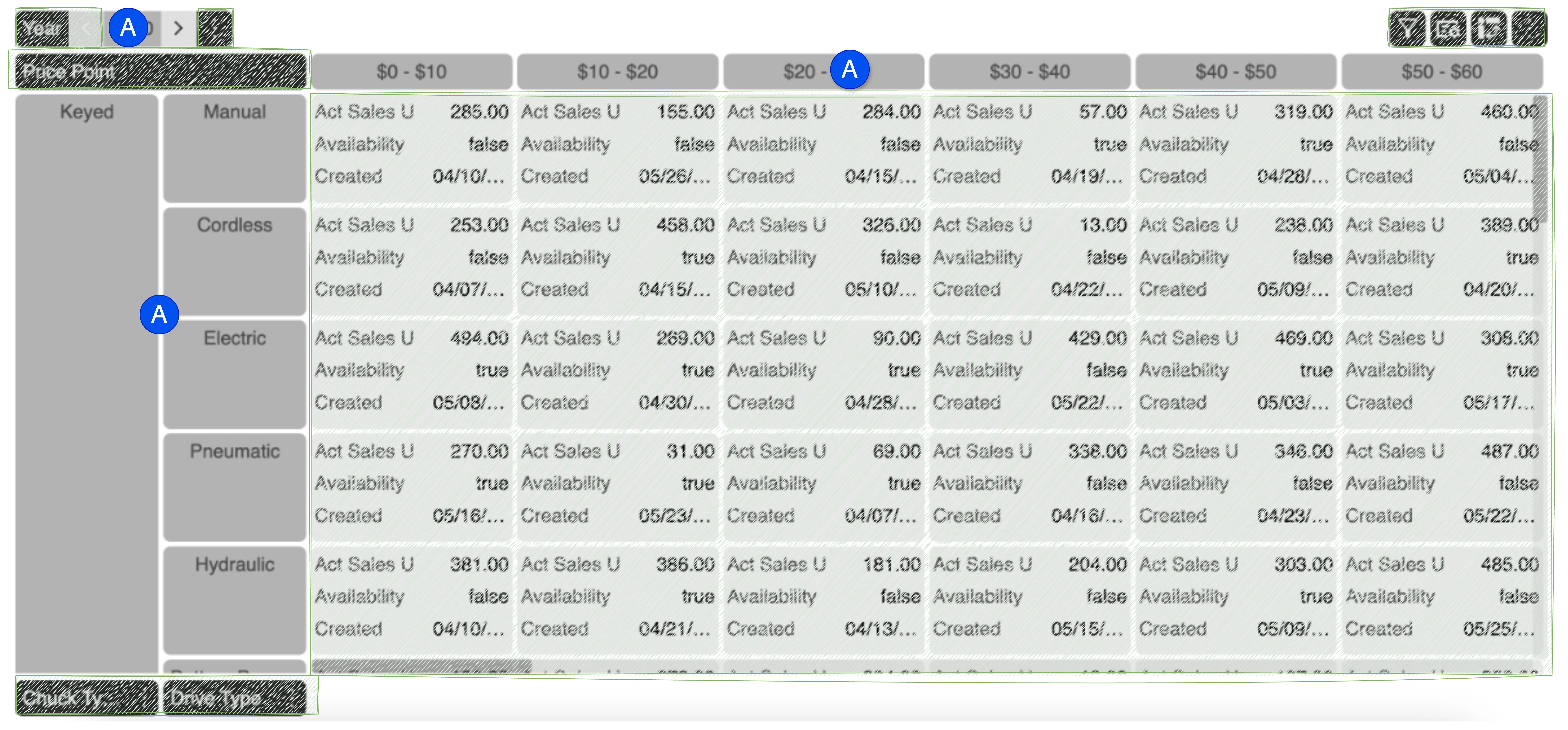
It refers to the labels or titles that identify the different dimensions or axes of the grid. These headers help users understand and navigate the various dimensions of data being analyzed.
Examples of Dimension Headers:
- Time: This could include headers like “Year,” “Quarter,” “Month,” and “Day.” For a sales report, headers might include “FY2024,” “Q1,” “August,” and “18th.”
- Location: Headers might include “Country,” “State,” “City,” or “Region.” For instance, a grid might have headers like “United States,” “California,” and “San Francisco.”
- Product: Headers could be “Category,” “Subcategory,” and “Product Name.” For example, “Electronics,” “Laptops,” and “Dell XPS 13.”
- Dimension Header Tab
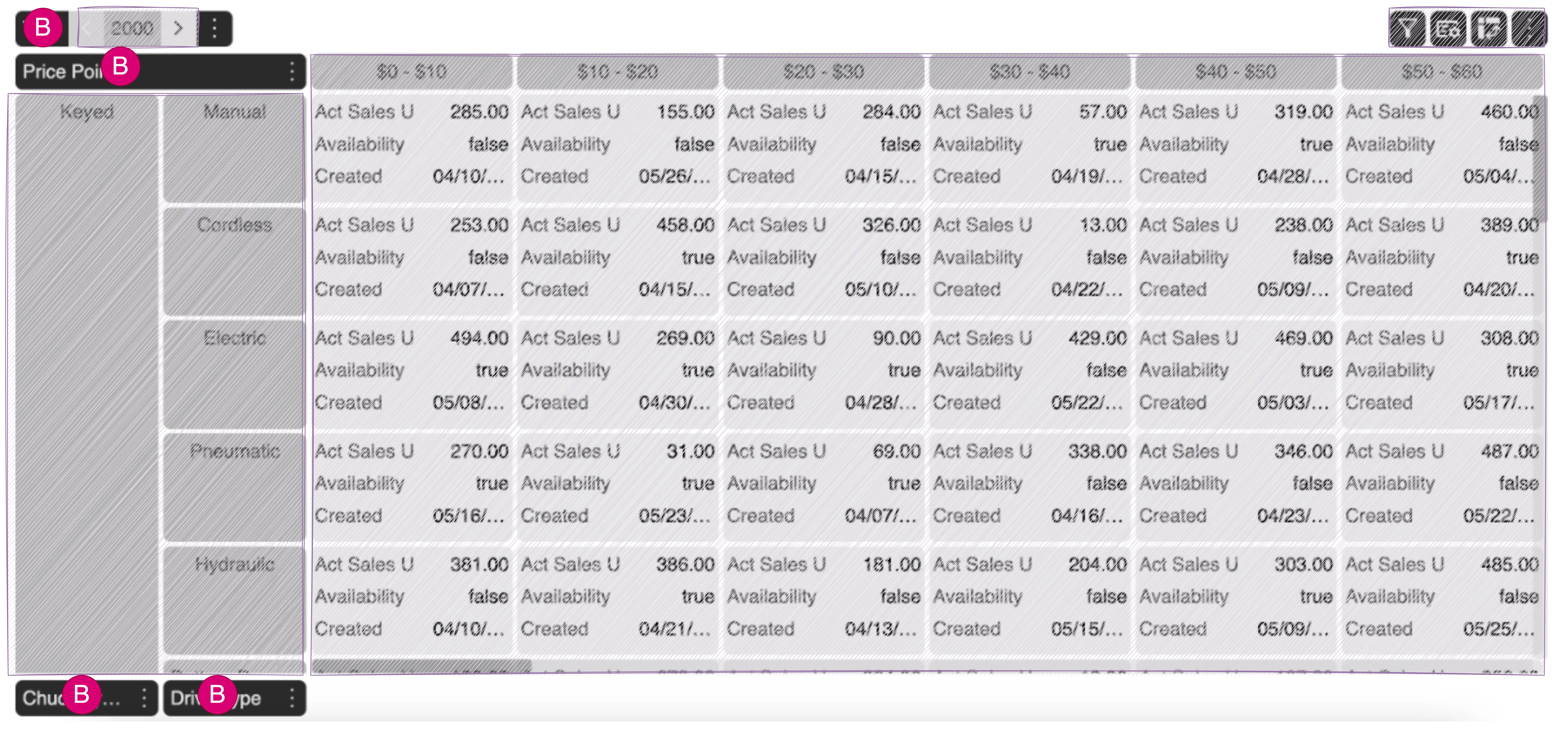
A “dimension header tab”, often refers to a user interface element that allows users to manage, select, or organize dimension headers. They allow users to easily switch between different dimensions or views of the data. By providing tabs for dimension headers, users can quickly access and modify the dimensions they are interested in without having to navigate through multiple menus or screens. For instance, one tab might show sales data by month, while another tab shows it by region.
For example, in a sales analysis tool, there might be separate tabs for “Time,” “Location,” “Product,” etc. One may choose to drag and drop dimension headers onto different areas of the grid, such as rows, columns, or filters. Tabs include options to filter or sort dimension data, allowing for more refined analysis.
-
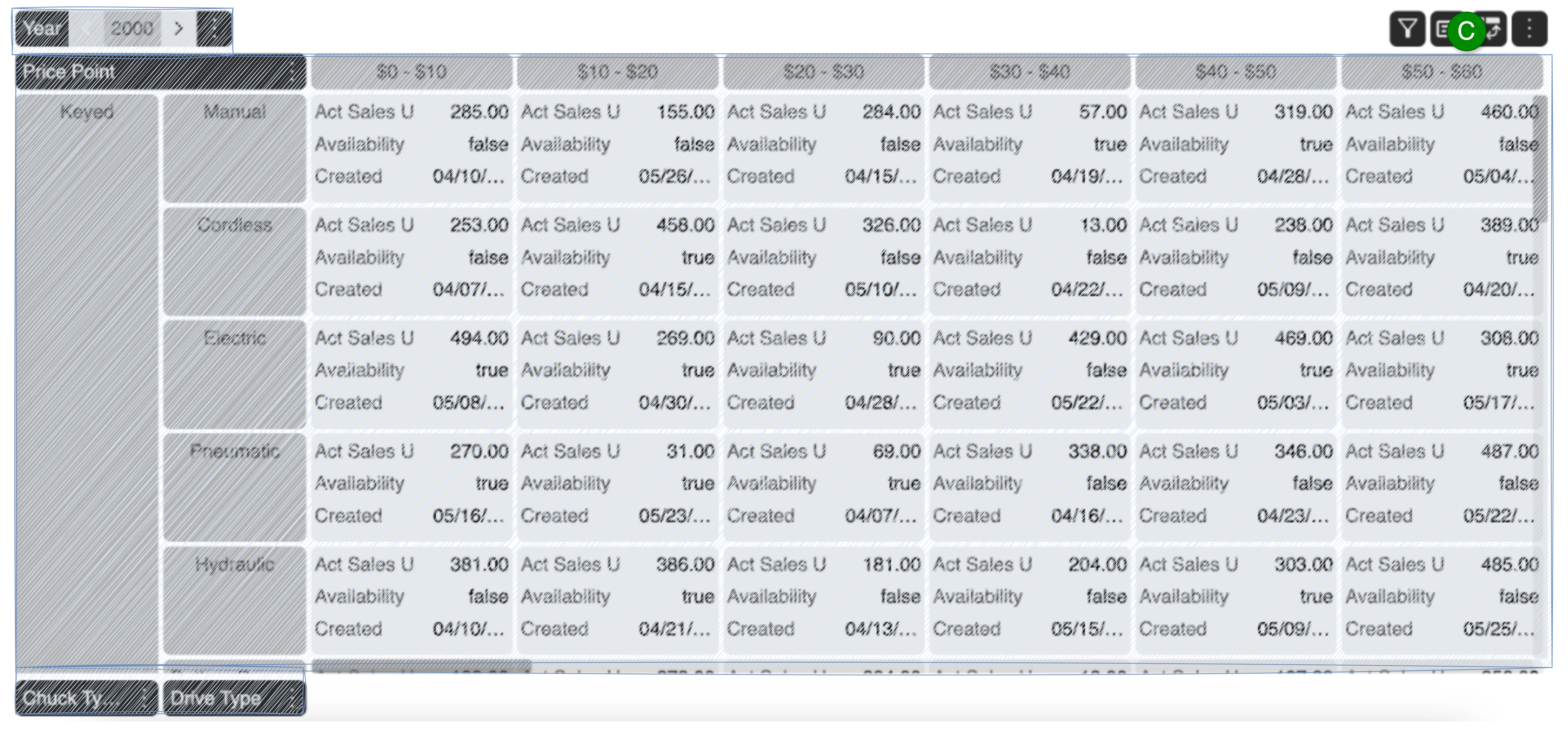
Action Headers
Action headers are special headers or elements within a data grid that offer users actionable options or commands. These headers are designed to facilitate tasks such as sorting, filtering, or manipulating data.
-
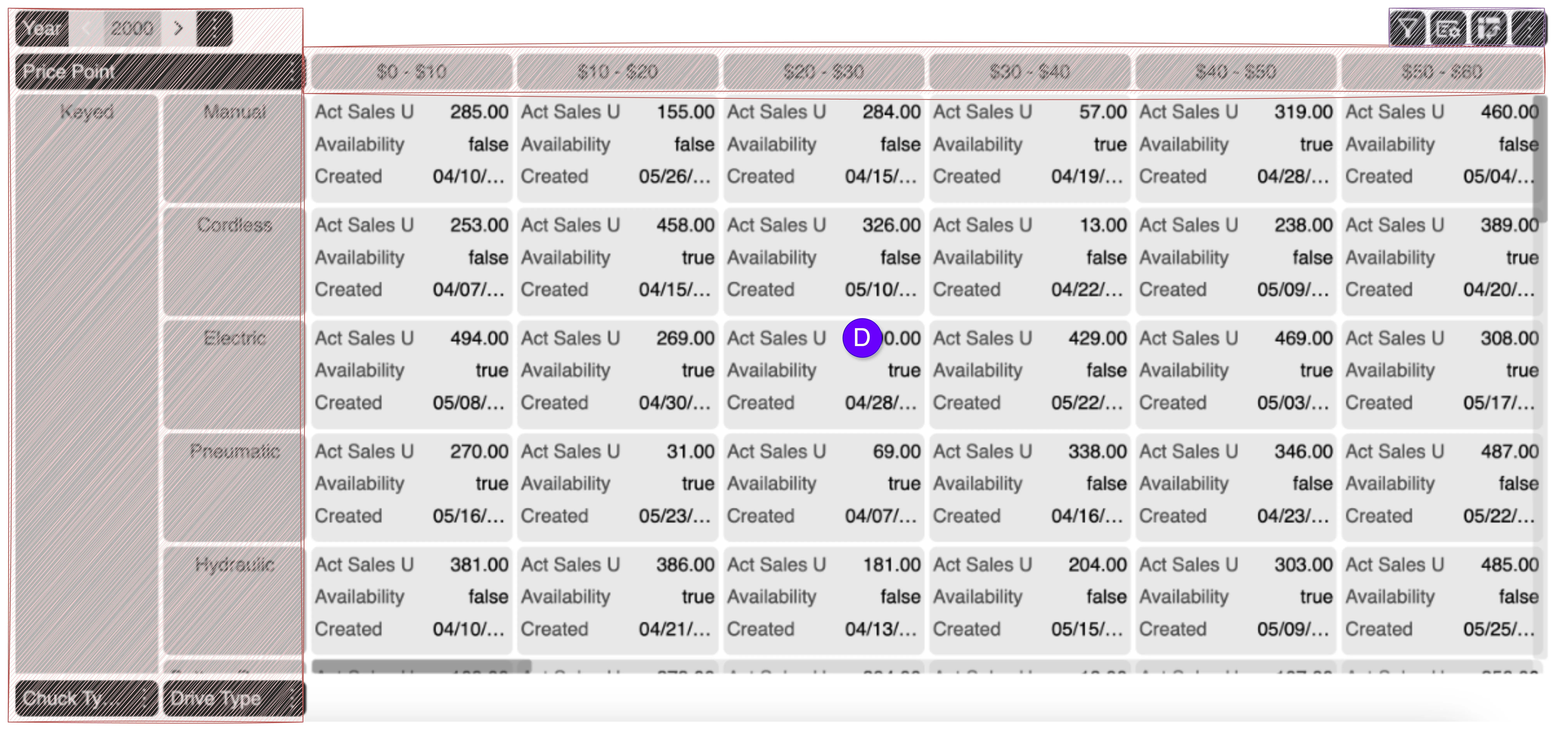
Data
Data refers to the actual information or values that are organized and analyzed within the grid. This data is structured according to the various dimensions and is presented in a way that allows for detailed analysis and reporting. It can include various types of information such as numerical values, text, dates, or categorical variables. Examples include sales figures, customer names, dates of transactions, and product categories.
-
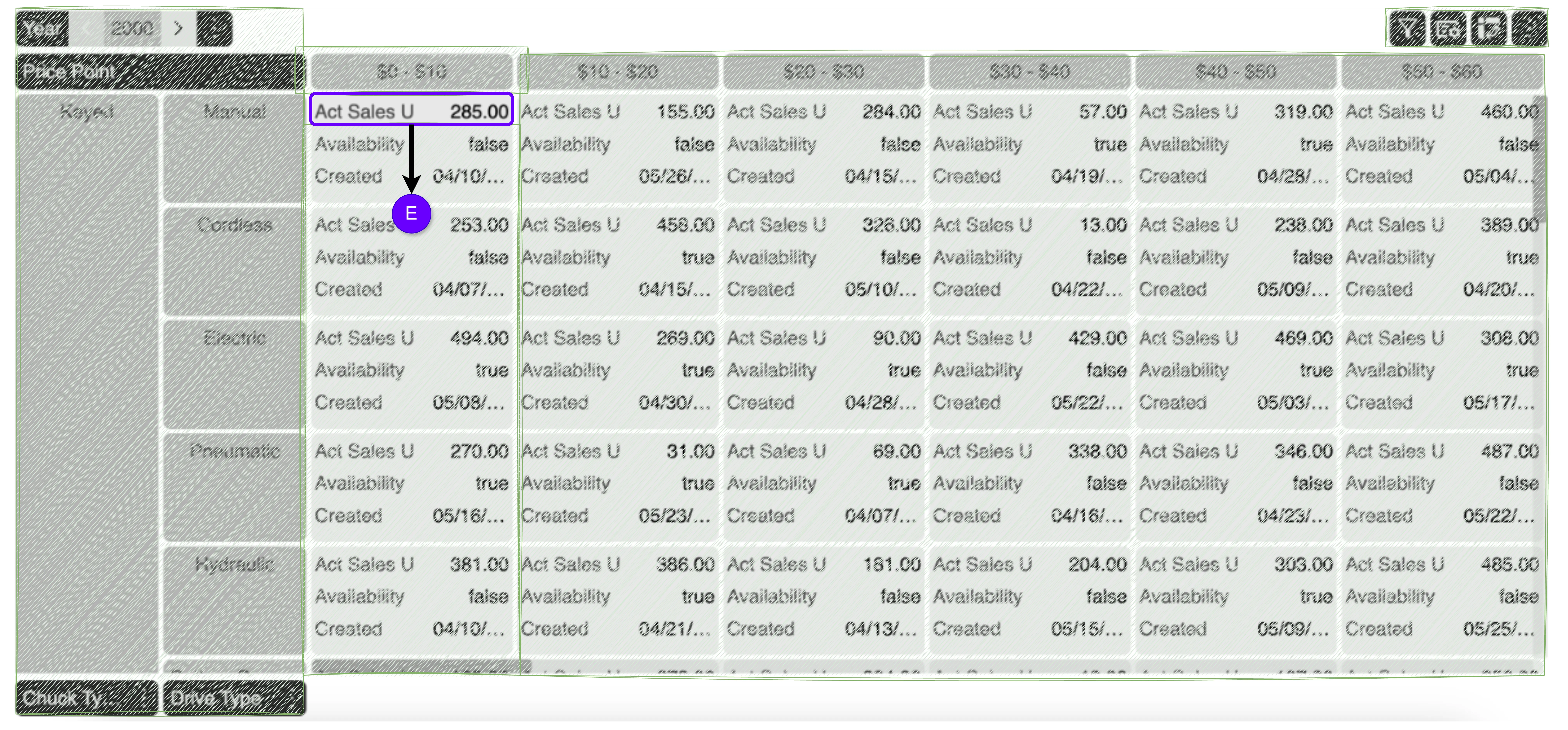
Measures
Measures refer to quantitative values or metrics that are used to assess performance, track progress, and analyze data. Measures are typically aggregated or calculated based on dimensions and are essential for generating insights from the data. Thus, measures are inherently quantitative. They can represent counts, sums, averages, percentages, rates, and other numerical values.
-
Cell
The individual units of data within a multi-dimensional grid are called cells. Each cell contains data for a specific combination of dimensions. For instance, in a sales data grid, a cell might represent the total sales for a specific product in a particular city during a specific month.